Using WhatsApp for Group Chats: Tips and Etiquette
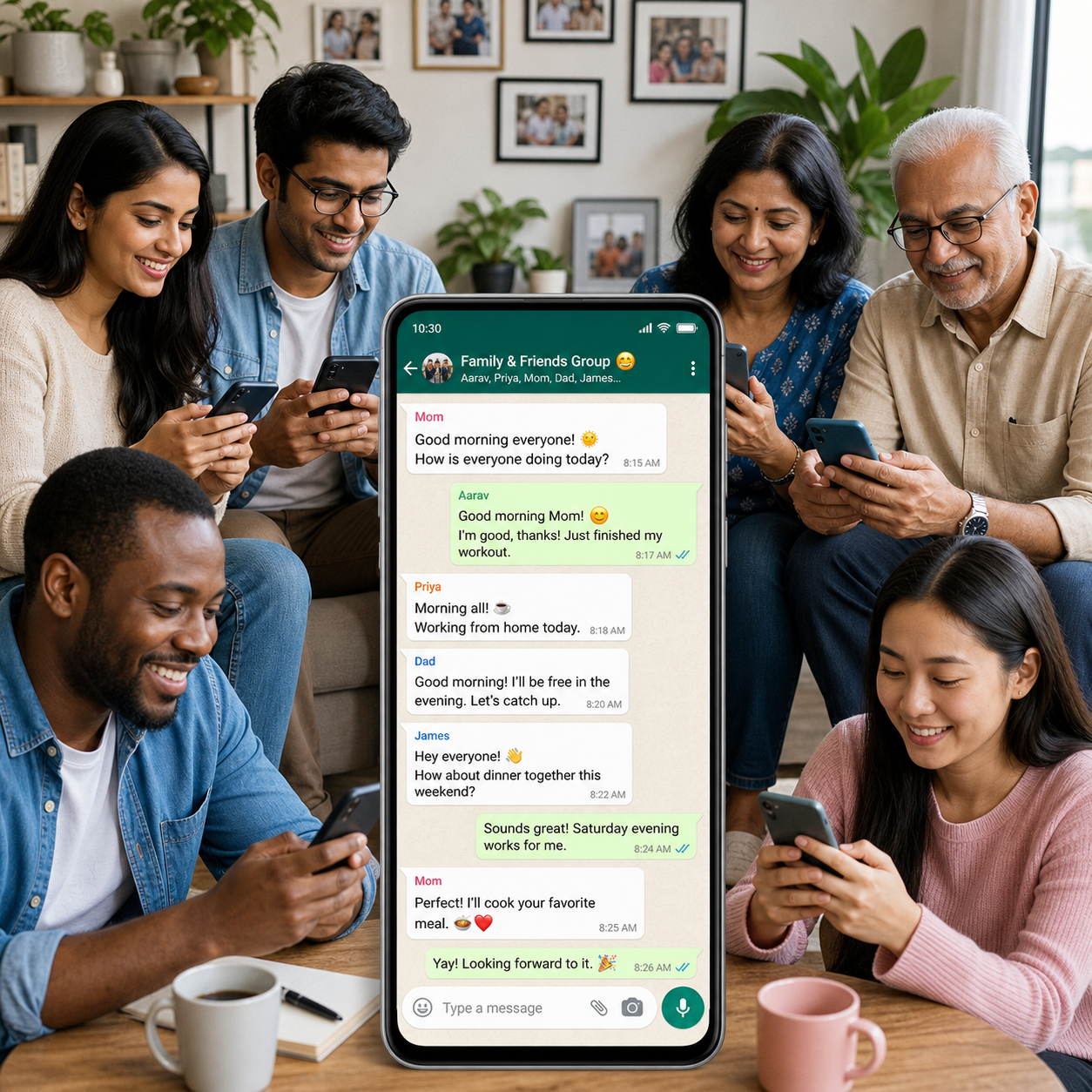
WhatsApp group chats make it easy to coordinate family plans, share updates with friends, organize work, or build a local community. They also create noise quickly when messages lack context, notifications arrive all day, or private information is shared without permission.
Good group-chat etiquette is a shared responsibility. Members should communicate clearly and respect attention, privacy, and different expectations. Group admins provide structure, but they cannot make every conversation work alone.
Set Clear Group Rules and Expectations
WhatsApp group rules should explain the group’s purpose, acceptable content, posting expectations, and how members should handle disagreements. A short description in the group information can prevent confusion before it starts.
Rules should match the group’s purpose. A family group may welcome photos, jokes, and occasional good-morning messages. A work group may need concise updates, limited after-hours messaging, and a clear distinction between urgent matters and routine information. A neighborhood or community group might need guidelines for announcements, recommendations, and sensitive local issues.
A group admin can post a brief welcome message covering:
- Why the group exists and who it serves.
- Which topics belong in the chat.
- Whether members should expect immediate responses.
- When to use a reply, mention, private message, or another channel.
- How moderators will handle spam, harassment, or repeated rule violations.
A useful rule is to separate urgent from important but non-urgent. For example, a school-trip cancellation may require a direct mention, while a suggestion for next month’s event can wait. Avoid writing a long list of rigid commands. People follow practical expectations more readily than a group constitution.
Keep Messages Relevant and Easy to Follow
To keep a WhatsApp group chat readable, write concise messages, stay on topic, and use replies when responding to a specific point. Clear context helps members understand a conversation even when they return hours later.
Before posting, ask whether the message helps the group’s purpose. If it does, lead with the key information: what happened, what people need to do, and by when. A message such as “The meeting moves to 6 p.m. on Thursday; please confirm by noon” is easier to act on than several short messages sent one after another.
Use replies to connect your answer to an earlier message, especially when several topics are active. Replies reduce ambiguity and make it easier to follow decisions. Use mentions when one or two people need to act, rather than tagging the entire group for routine information.
Reactions can acknowledge a message without creating another notification-heavy thread. A thumbs-up may confirm that you saw an update, while a heart or laughing reaction can suit a social group. In a work or community setting, however, a reaction may not replace a required confirmation. Follow the group’s established habits.
When a conversation drifts into a detailed side topic, move it to a smaller chat or private message. That preserves the main group’s usefulness without shutting down a legitimate discussion.
Manage Notifications Without Missing Important Updates
WhatsApp notifications are easier to manage when you mute busy groups, check relevant mentions, and create predictable times to review non-urgent conversations. Reducing alerts protects attention without requiring you to leave the group.
Use WhatsApp’s mute option for groups that post frequently but still contain useful information. Depending on your app version and device, you may be able to mute notifications for set periods or indefinitely. Muting changes alerts; it does not stop messages from arriving, so check the chat when it suits you.
Mentions deserve special attention. A direct mention can signal that someone expects an answer, but it should not become a way to pressure members into responding instantly. If you need a reply by a specific time, state the deadline in the message. If the matter is genuinely urgent, use the communication method the group has agreed on.
Try a simple three-level attention system:
- Now: respond immediately only when the matter is urgent or time-sensitive.
- Later: review routine updates during a planned check-in.
- Optional: read social content when you have the time and interest.
When you mute or archive a group, explain your availability if people depend on you. Saying, “I check this chat each evening, so please contact me directly for emergencies”, is clearer than silently missing an important request.
Share Media, Links, and Voice Notes Considerately
Considerate media sharing means sending content that serves the group, adding context, and respecting members’ time, data, and privacy. Photos, videos, documents, links, and voice notes should support the conversation rather than bury it.
Before sharing a link, briefly explain what it is and why it matters. Instead of posting a bare URL, write: “This is the updated venue map; the entrance is marked in section B.” Check that the source is credible and that the information is current. Excessive forwards, promotional posts, and sensational claims quickly reduce trust.
For photos and videos, consider relevance, file size, and consent. A large collection from an event may be better shared as a selected group of images or through an agreed album. Avoid repeatedly sending the same meme, clip, or greeting to groups with different interests.
Voice notes need extra care because members may be unable to listen immediately. Keep them short, identify the topic at the start, and use text for dates, addresses, prices, or other details people may need to search later. If the message is longer than a minute or contains several decisions, a written summary is usually more accessible.
Respect Privacy and Personal Boundaries
Respecting privacy in a WhatsApp group means asking permission before sharing someone’s photo, message, contact details, or personal situation. Group membership does not automatically grant permission to redistribute everything posted there.
Be careful with screenshots. A message written for one group may contain names, phone numbers, profile photos, or context that disappears when copied elsewhere. Ask the original sender before forwarding it, and crop or redact personal details when sharing is genuinely necessary.
Privacy settings can help members control parts of their WhatsApp experience, but settings do not remove the need for good judgment. Avoid posting addresses, travel plans, medical information, financial details, or children’s images unless the people involved are comfortable with the audience and purpose.
Sensitive discussions require restraint. If a member shares bad news, a health concern, or a personal conflict, do not turn the group into a public interrogation. Offer support, ask whether they want advice, and move detailed conversation to a private chat when appropriate.
Respect boundaries around availability, too. Work-related messages late at night, repeated requests for instant answers, and public criticism can create pressure even when no rule explicitly forbids them. A healthy group makes room for members to read and respond on different schedules.
Admin Tips for a Healthier Group
A WhatsApp group admin keeps the group healthy by setting context, welcoming members, moderating fairly, and updating information when circumstances change. Administration works best as light-touch maintenance rather than constant control.
Welcome new members with the group’s purpose and key expectations. If the chat has ongoing projects or recurring events, point newcomers to the most relevant information instead of expecting them to search through hundreds of messages.
When disagreements arise, intervene early and neutrally. Identify the issue, restate the relevant rule, and ask participants to continue privately if the discussion no longer benefits the wider group. Do not use admin powers to win an argument or embarrass a member.
For repeated violations, use a consistent sequence:
- Clarify the rule and explain the problem privately.
- Ask for a specific correction, such as stopping promotional forwards or removing personal information.
- Document the decision in the group only when transparency helps.
- Remove inappropriate content or a member when necessary, following the group’s stated expectations.
Update the group name, description, profile image, and rules when the group’s purpose changes. Admins should also avoid adding people without context. Tell a prospective member why they are being added and give them a chance to decline, particularly in work, neighborhood, or community groups.
Common WhatsApp Group Chat Mistakes to Avoid
The most common WhatsApp group chat mistakes are spamming, excessive forwarding, public arguments, poorly timed interruptions, and adding people without explanation. Each one increases noise or weakens trust.
Sending too many separate messages
Why it happens: The sender thinks in real time and posts each thought immediately. Consequence: Important information becomes difficult to find, and every message may trigger a notification. Correction: Combine related points into one message and lead with the action required.
Forwarding unverified or irrelevant content
Why it happens: A dramatic claim or entertaining clip feels worth sharing before anyone checks it. Consequence: Members may waste time, lose confidence in the group, or act on incorrect information. Correction: Check the source, date, and relevance first. If you cannot verify a claim, label it as unconfirmed or do not post it.
Arguing publicly or criticizing members
Why it happens: Text removes tone, and frustration is easy to broadcast. Consequence: A simple disagreement can become embarrassing, hostile, and harder to resolve. Correction: State the practical issue once, avoid insults, and move the conversation privately or ask an admin to mediate.
Adding people without context
Why it happens: An admin wants to save time or assumes inclusion is automatically helpful. Consequence: The new member may not understand the audience, purpose, or privacy expectations. Correction: Ask first where possible, explain the group when adding someone, and provide an easy way to leave.
WhatsApp Group Chat Etiquette FAQ
These answers cover the most practical questions about respectful WhatsApp group chats, including rules, replies, notifications, privacy, and conflict.
How do you set respectful rules for a WhatsApp group?
State the group’s purpose, relevant topics, response expectations, privacy boundaries, and approach to disagreements in a short welcome message. Adapt the rules to the group: family, friends, work, and community chats rarely need identical standards.
When should you use a reply or mention in a group chat?
Use a reply when answering a specific earlier message and a mention when a particular member needs to notice or act. Do not use mentions as a general broadcast tool or to pressure people into immediate responses.
How can you reduce WhatsApp group notifications?
Mute the group, review it at planned times, adjust device notification settings, and archive it if you do not need it visible in your main chat list. Tell others how to reach you for urgent matters if you may not see messages quickly.
Is it okay to share someone else’s message or photo in a group?
Ask the sender or person shown before sharing, especially when the material includes private details or was created for a limited audience. Remove unnecessary names, numbers, and identifying information when sharing is approved.
What should a WhatsApp group admin do when conflict arises?
The admin should remain neutral, identify the relevant rule, stop personal attacks, and move detailed discussion away from the main group. Repeated or serious violations may require removing content or a member, but decisions should be consistent and explainable.
Effective WhatsApp group chats do not require constant participation. They need clear purpose, readable messages, thoughtful media sharing, manageable notifications, and respect for privacy. When members and admins follow those principles, the group remains useful without taking over everyone’s attention.