WhatsApp vs. Telegram: Which Messaging App Is Better?
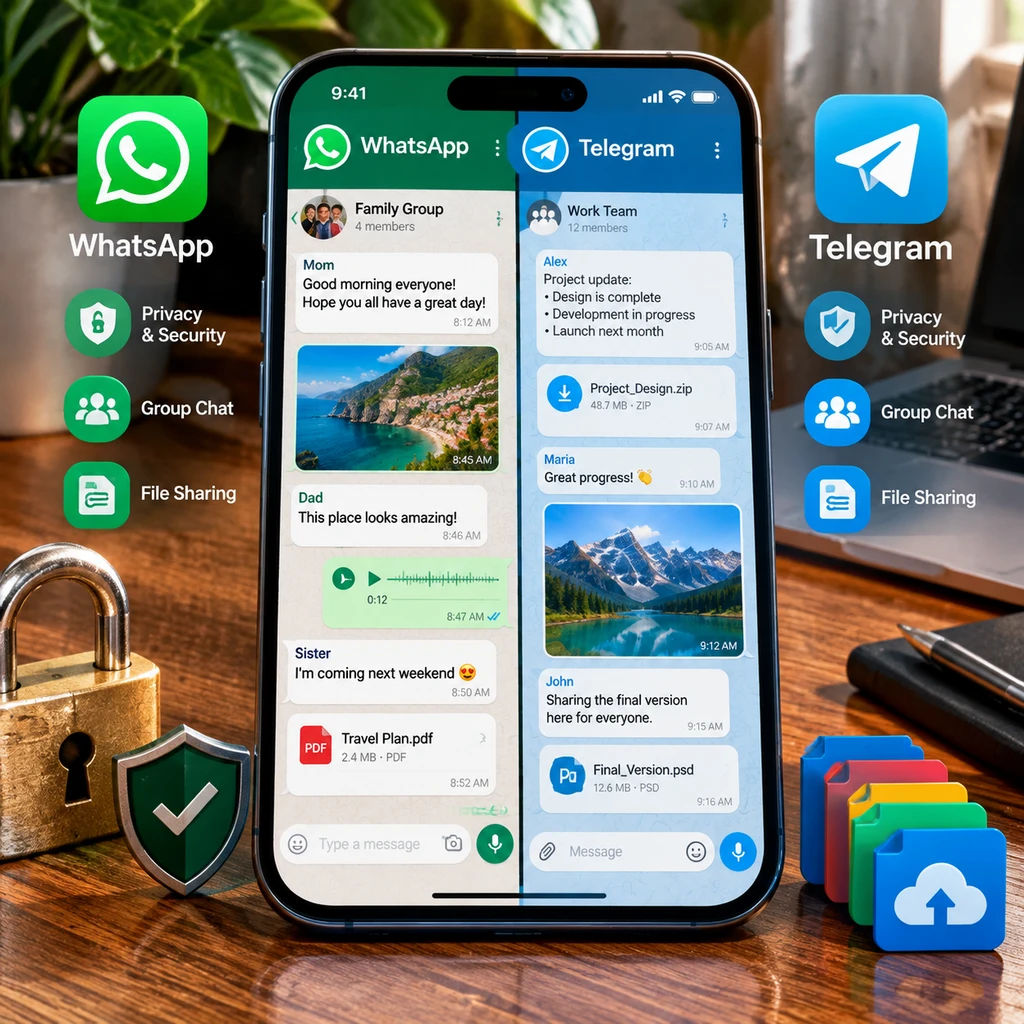
WhatsApp and Telegram both make it easy to message, call, and share files, but they handle privacy and communication differently. WhatsApp is often the straightforward choice for everyday conversations with friends and family, while Telegram offers more flexibility for large communities, public channels, and cloud-based access.
There is no universal winner. The better app depends on who you talk to, how you use group chats, and whether default end-to-end encryption or broader sharing features matter more to you.
Quick comparison: WhatsApp vs. Telegram
WhatsApp is a strong fit for private everyday messaging with end-to-end encryption enabled by default, while Telegram stands out for channels, large groups, and cloud-synced chats. Your contacts’ preferences matter, too: an app is less useful if the people you need to reach are not on it.
Here is the practical difference at a glance:
- Privacy: WhatsApp uses end-to-end encryption by default for personal messages and calls. Telegram’s regular cloud chats are not end-to-end encrypted; its optional Secret Chats are.
- Groups and broadcasting: Both support group conversations. Telegram is particularly well suited to large public groups and one-way channels.
- Files and access: Telegram stores regular chats in the cloud, making them easy to access across devices. WhatsApp also supports linked devices and file sharing, but its chat backup and sync model differs.
- Everyday use: WhatsApp’s familiar, phone-number-based setup works well for personal contacts. Telegram offers more customization and public discovery features.
Think of the choice as a balance between private-by-default communication and flexible, cloud-based communities. Neither label tells the whole story, so consider the specific chat type you plan to use.
Privacy and security
WhatsApp encrypts personal messages and calls end to end by default, while Telegram only provides end-to-end encryption in Secret Chats and certain calls. That distinction matters: encryption protects content from being read in transit, but it does not make every privacy setting or account detail identical.
With end-to-end encryption, the message is designed to be readable only by the participants’ devices. On WhatsApp, this protection applies to personal messages and calls by default. WhatsApp backups are a separate consideration: users can enable end-to-end encrypted backups, but should check the backup settings rather than assume every stored copy has the same protection.
Telegram’s standard cloud chats sync across devices, which is convenient, but they are not end-to-end encrypted. Secret Chats use end-to-end encryption and are device-specific, so they do not work like Telegram’s usual cloud-synced conversations. Choose the chat type deliberately when sensitive content is involved.
Both apps offer privacy settings and two-step verification. Review who can see details such as your profile photo, online status, or phone number, and secure the account with a strong verification method. These steps help protect account access, but they do not replace encryption or prevent someone with access to an unlocked device from reading messages.
For routine personal conversations, WhatsApp’s default encryption is simpler to rely on. Telegram can still be a reasonable choice, but users who need end-to-end protection must understand when to use Secret Chats and their device limits.
Messaging, groups, and channels
Both apps handle one-to-one messages and group chats well, but Telegram’s channels and community tools make it better suited to broadcasting information at scale. WhatsApp focuses more closely on conversations among known contacts, although its group and broadcast features serve many everyday needs.
WhatsApp groups work for families, clubs, and work teams that need a shared conversation. Members can reply, share media, and coordinate in one place. WhatsApp Channels provide a way for organizations and creators to publish updates to followers, while keeping the format distinct from an ordinary group discussion.
Telegram supports groups with large membership limits and offers extensive admin controls, bots, and public discoverability. Its channels are designed for one-to-many publishing: administrators post updates, and subscribers follow along without turning every announcement into a group thread. This can suit news feeds, interest communities, or project updates.
Large groups also bring trade-offs. More members can mean more noise, moderation work, and exposure to unwanted posts. Before joining or creating a community, check who can add members, post, or see your information. A small WhatsApp group may be easier to manage for a family conversation, while a Telegram channel can be more orderly for announcements to a broad audience.
File sharing, calls, and other features
Telegram’s cloud storage model makes files and regular chats convenient to access across devices, while both apps provide useful voice and video calls. The right option depends on the size and type of files you share, as well as whether you prioritize sync or a familiar personal-chat workflow.
Both apps let users send documents, photos, videos, and voice messages. Telegram is known for generous file-sharing capacity compared with many messaging services, though limits can vary by account type and change over time. Check the current in-app limit before relying on it for a large file. WhatsApp covers common personal sharing needs, but compression and file-size restrictions can affect how media arrives.
Telegram’s regular cloud chats keep messages available across logged-in devices, which is useful when switching between a phone, tablet, and computer. That convenience comes with the security distinction described above: cloud chats are not end-to-end encrypted. WhatsApp supports linked devices, while chat history and backups follow a different model; a linked device does not mean every backup is automatically protected the same way.
Both apps support voice and video calls, so contact availability and connection quality may matter more than a feature checklist. For either app, use a trusted network for sensitive conversations and keep the software updated. Extra tools are only helpful if the people you communicate with can use them comfortably.
Ease of use and availability
WhatsApp is often easier to start using for personal contacts, while Telegram can feel more flexible for people who want multi-device cloud access and advanced community tools. Both are available across major mobile and desktop platforms, but their account and chat experiences differ.
WhatsApp typically connects an account to a phone number and helps users find contacts already using the service. That makes it familiar for everyday messaging, especially where friends and family already use it. Telegram also uses a phone number for account setup, then supports usernames and cloud-synced chats that can make connecting and switching devices more flexible.
Neither app is difficult to learn for basic messaging. Telegram’s extra settings, bots, and public groups can take more time to explore, while WhatsApp’s simpler presentation may be easier for less technical users. On either platform, confirm privacy settings after setup rather than leaving every visibility option at its default.
Device access is not the same as data protection. A message appearing on several devices is convenient, but users should secure each device with a passcode, biometric lock, or other available protection. Also consider the people in your network: maintaining both apps may be the simplest answer if your contacts are split between them.
Which app should you choose?
Choose WhatsApp if default end-to-end encryption and simple personal messaging are your priorities; choose Telegram if cloud-synced chats, large groups, and channels better match how you communicate. You can also use both, assigning each app a clear purpose.
- Choose WhatsApp for routine conversations with friends and family, especially when you want personal messages and calls encrypted end to end by default.
- Choose Telegram for public channels, large communities, flexible file sharing, and access to regular cloud chats across devices.
- Use both if your contacts are divided or you want WhatsApp for personal conversations and Telegram for channels and community updates.
A common mistake is assuming every Telegram conversation has end-to-end encryption. Regular cloud chats do not, so use Secret Chats when you specifically need that protection and accept that they are device-specific. Another is treating encrypted messages as a complete privacy solution: account security, backups, device access, and visibility settings still matter.
The practical test is simple: list the people and groups you need to reach, then identify your top priority, whether that is default encryption, community features, or multi-device convenience. Start with the app that meets those needs; add the other only if it solves a real gap.
Frequently asked questions
Is WhatsApp more private than Telegram?
For personal messages and calls, WhatsApp offers end-to-end encryption by default, while Telegram regular cloud chats do not. Privacy also depends on settings, backups, account security, and how you use each app.
Are Telegram messages end-to-end encrypted by default?
No. Telegram’s regular cloud chats are not end-to-end encrypted. Secret Chats provide end-to-end encryption and are tied to the devices involved.
Can I use WhatsApp and Telegram at the same time?
Yes. Many people use WhatsApp for personal conversations and Telegram for channels, larger communities, or cloud-synced chats.
Which app is better for large groups and channels?
Telegram is generally better suited to large public groups and one-way channels. WhatsApp groups and Channels can still work well for smaller communities and familiar contacts.